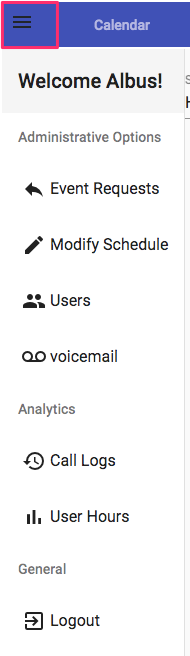
Step 1: To split a shift, log in to the admin options menu and select modify schedule
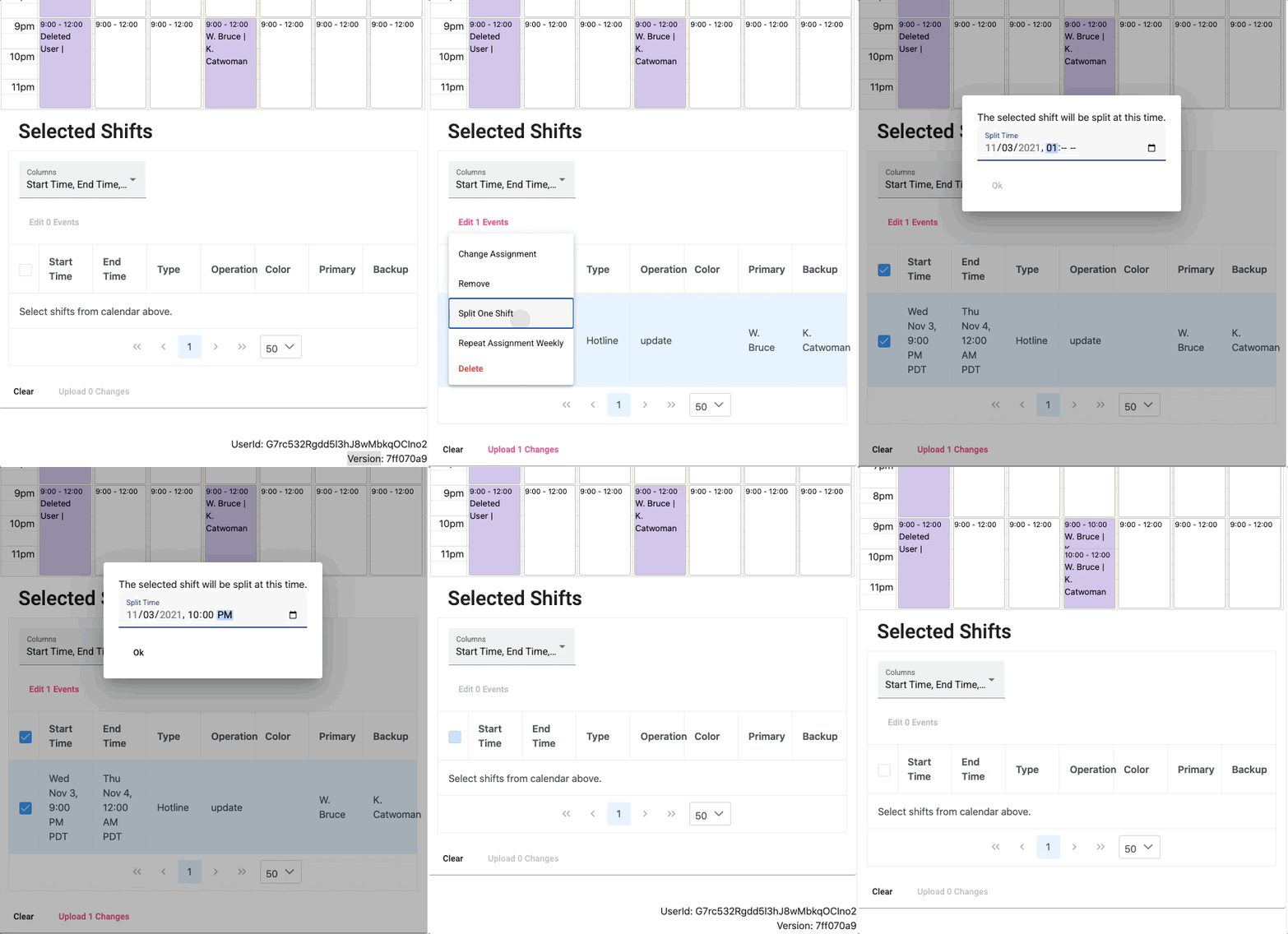
Step 2: Follow this video to select and split a shift. Note that each shift has to end either on the hour, or 15, 30, or 45 after the hour.
Step 1: To split a shift, log in to the admin options menu and select modify schedule
Step 2: Follow this video to select and split a shift. Note that each shift has to end either on the hour, or 15, 30, or 45 after the hour.
Comments
0 comments
Please sign in to leave a comment.